.png?width=200&height=58&name=Primary_White_XYCLE_Logo.png-09%20(2).png)
Functional Unit Normalisation ensures that your Life Cycle Assessment (LCA) results are expressed per consistent, comparable units. Results are typically normalised to the final product output, but you can update this by managing reference and functional units within your inventory.
1. Automatic Normalisation
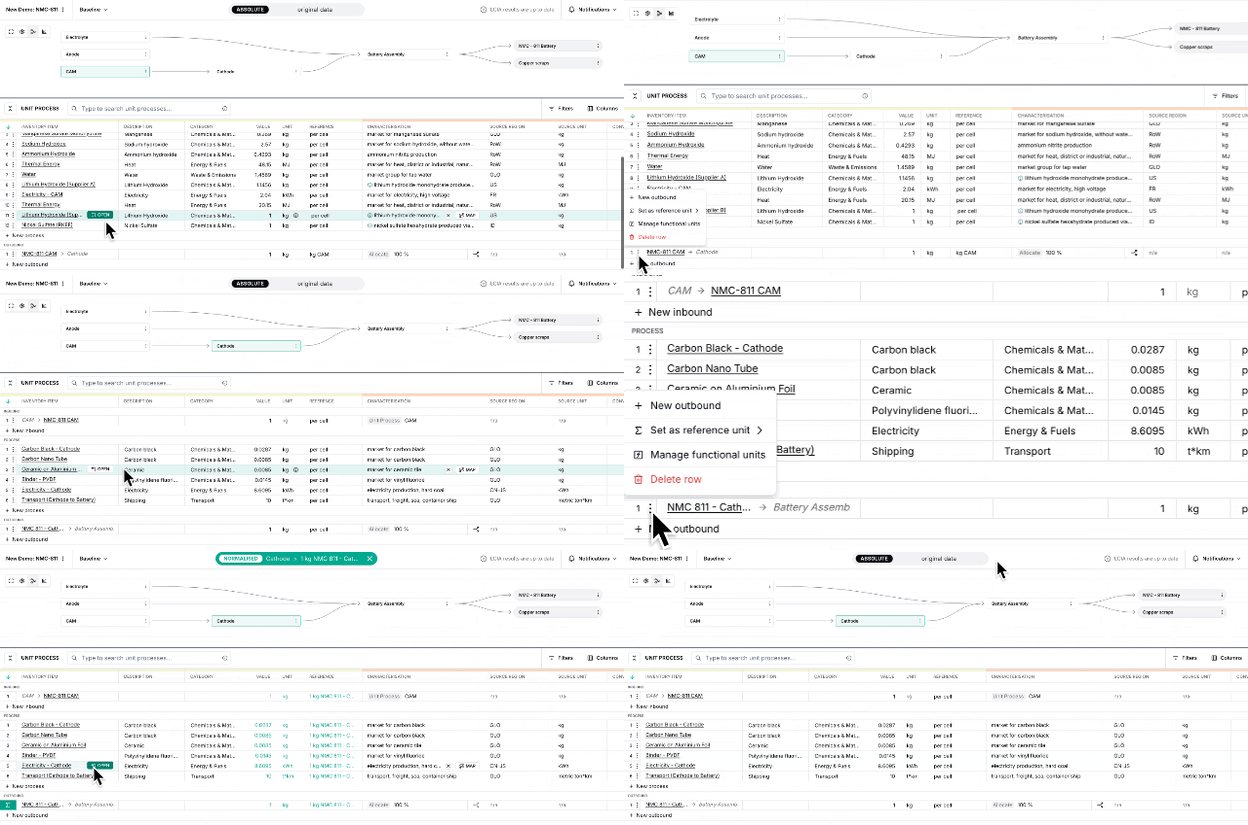
When a new project is created, XYCLE applies normalisation to the final product selected in your flow diagram. All impact results are scaled according to this reference unit (e.g. 1 kg of NMC 811 Cathode).
2. Set a New Reference Unit
If a different output makes more sense for your comparison:
- Click the three-dot menu next to the desired outbound item.
- Select Set as Reference Unit.
- The selected unit will become the new basis for impact results across the project.
You’ll see a blue label indicating which unit is currently active.
3. Returning to Default
To reset the project to the original reference unit, click the X on the normalisation banner at the top of the screen.
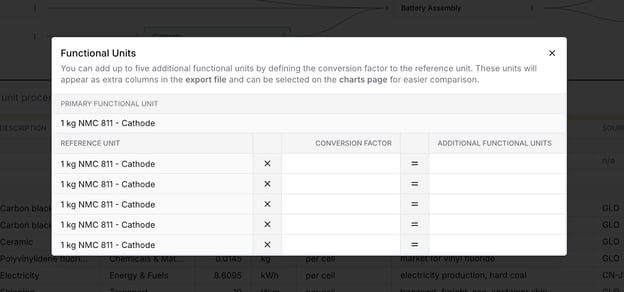
4. Manage Functional Units
You can define up to five additional functional units for exports and chart comparisons:
- Click the three-dot menu next to the outbound product.
- Select Manage Functional Units.
- Add new units by entering a conversion factor relative to the reference unit.
These will appear as selectable options in your export file and on the charts page.