.png?width=200&height=58&name=Primary_White_XYCLE_Logo.png-09%20(2).png)
This guide walks you through how to customise an Ecoinvent dataset in XYCLE. You will learn how to isolate key contributors to environmental impact, modify the underlying inventory, and publish your customised version for use in future models.
1. Locate & Select The Data Point
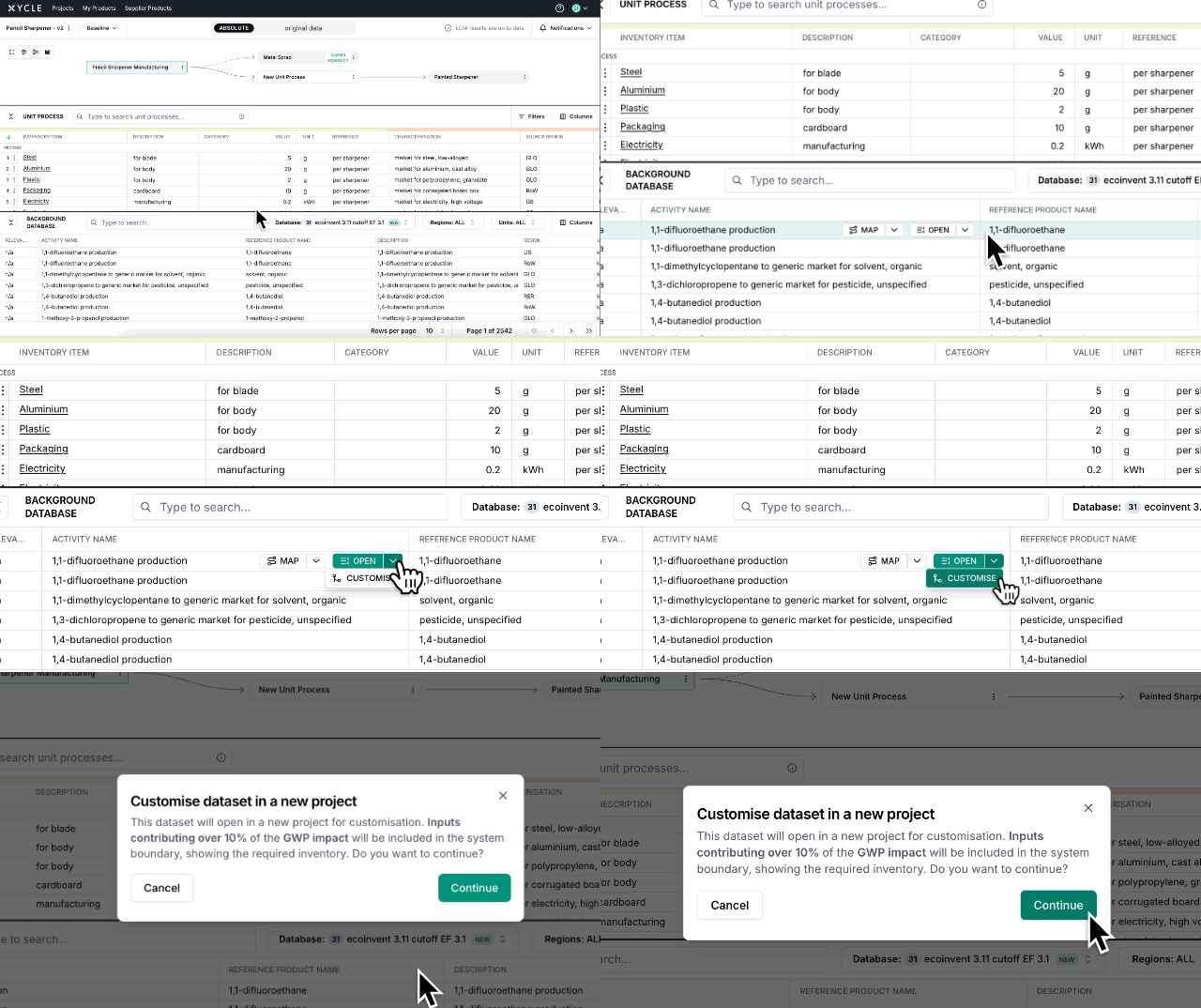
Start by searching for the Ecoinvent dataset you want to customise. Once you have found it, click the dropdown arrow next to the Open button and select Customise.
2. Open a New Project
The dataset will open in a new project environment, specifically for customisation. Any input that contributes more than 10 percent of the GWP impact will automatically be included in the system boundary. This gives you full visibility into the inventory items that drive the environmental profile.
Click Continue to proceed.
Note: This creates a private copy of the original Ecoinvent dataset. Your changes will not affect the original source file.