.png?width=200&height=58&name=Primary_White_XYCLE_Logo.png-09%20(2).png)
Use your own project data in XYCLE to model environmental impacts more accurately. This guide walks you through how to upload completed products, search for them in your modelling view, and map them into other systems.
1. Upload Your Product to the Background Database
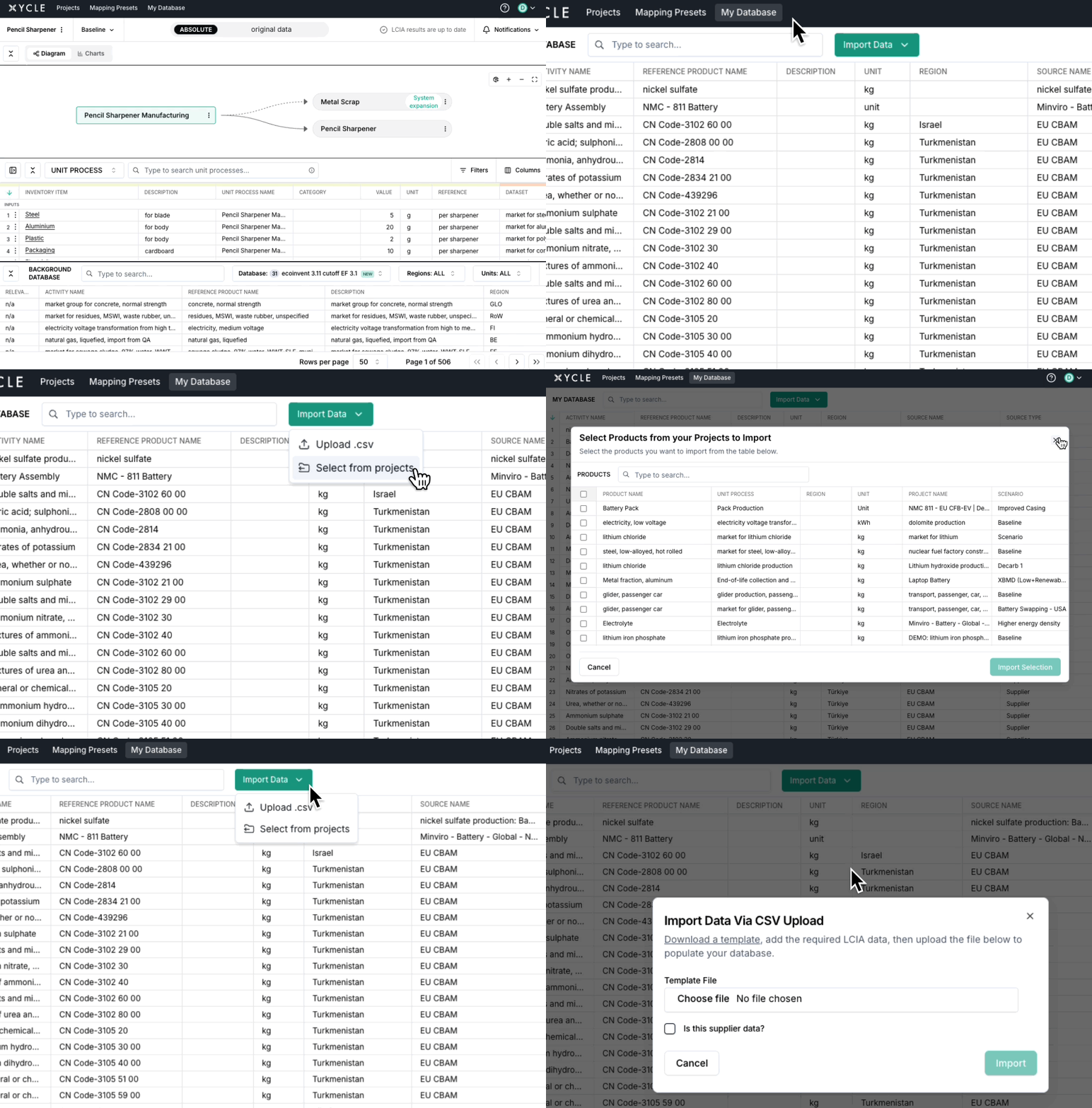
Navigate to "My Database", and click "Import Data". From here, you can choose from csv, from your projects, or from a direct integration if you have one set up.
Once uploaded, your product data becomes available across XYCLE. You and any collaborators with project access can reuse this data in other models.
2. Map Uploaded Data in Other Projects
When modelling another project:
- Open the input field where you would normally select background data.
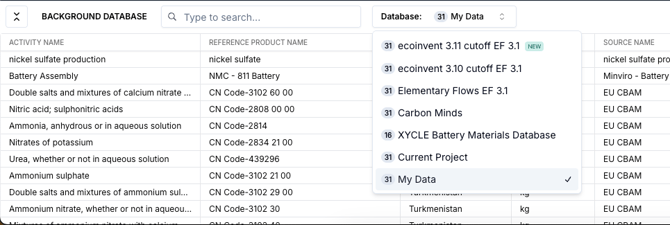
- In the source dropdown, select “My Data”.
- Search for the product you uploaded in Step 1.
You can now map directly to your own previously modelled product, using it as a background dataset for environmental impact calculations.
Additional Notes
- Custom background products are only visible to you and collaborators of the original project.
- Editing a uploaded product updates the background dataset everywhere it is used.