.png?width=200&height=58&name=Primary_White_XYCLE_Logo.png-09%20(2).png)
Data quality indicators (DQIs) are a critical part of Life Cycle Assessment (LCA) best practices. They help quantify the reliability, representativeness, and completeness of each data point used in your model. By assigning DQIs, you can surface uncertainty in your results, improve transparency for stakeholders, and identify which parts of your model may require better inputs in the future.
In XYCLE, DQIs are built directly into the system and can be applied to any process or inventory item. This guide walks you through how to apply them step by step.
1. Open Your LCA Model
Navigate to your existing LCA model within XYCLE. You’ll see a table of inventory items under the Unit Process section. Each row has a column titled Data Quality with a View button.
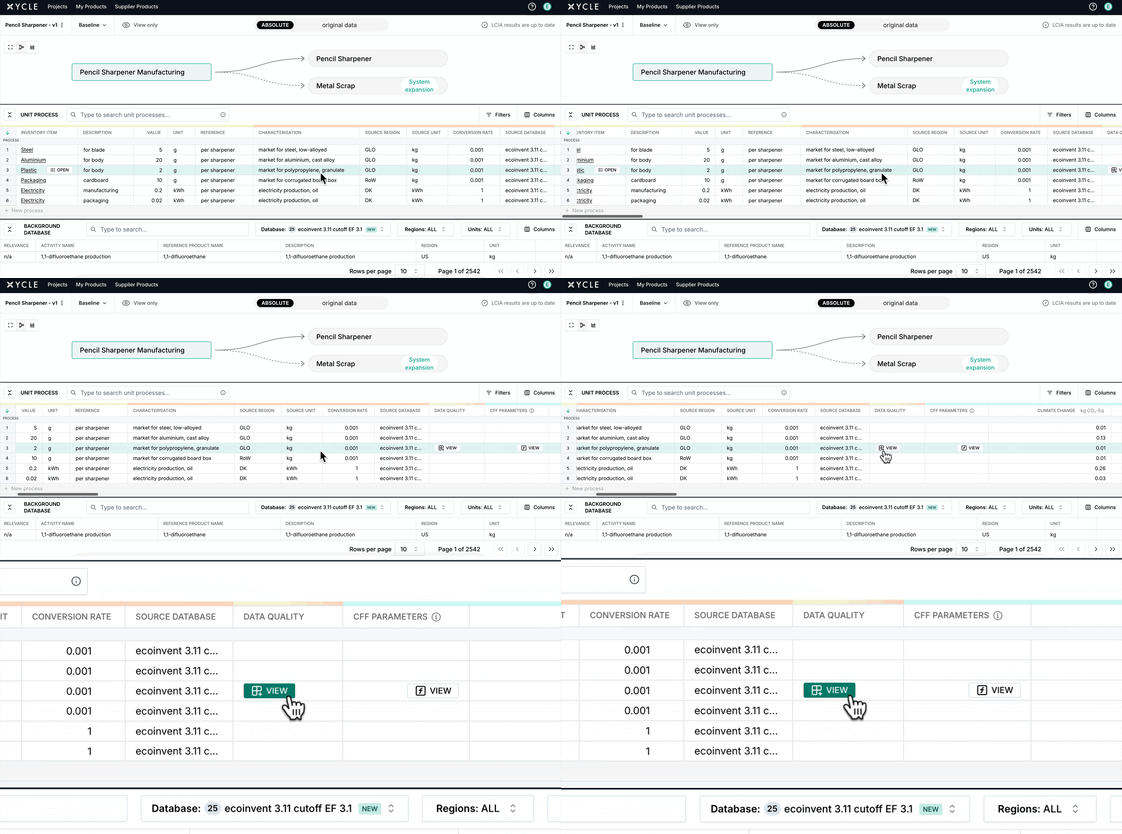
2. Open the Data Quality Menu for an Item
Click the View button in the Data Quality column for any row. This opens the DQI selection interface where you can define the quality of that data point.
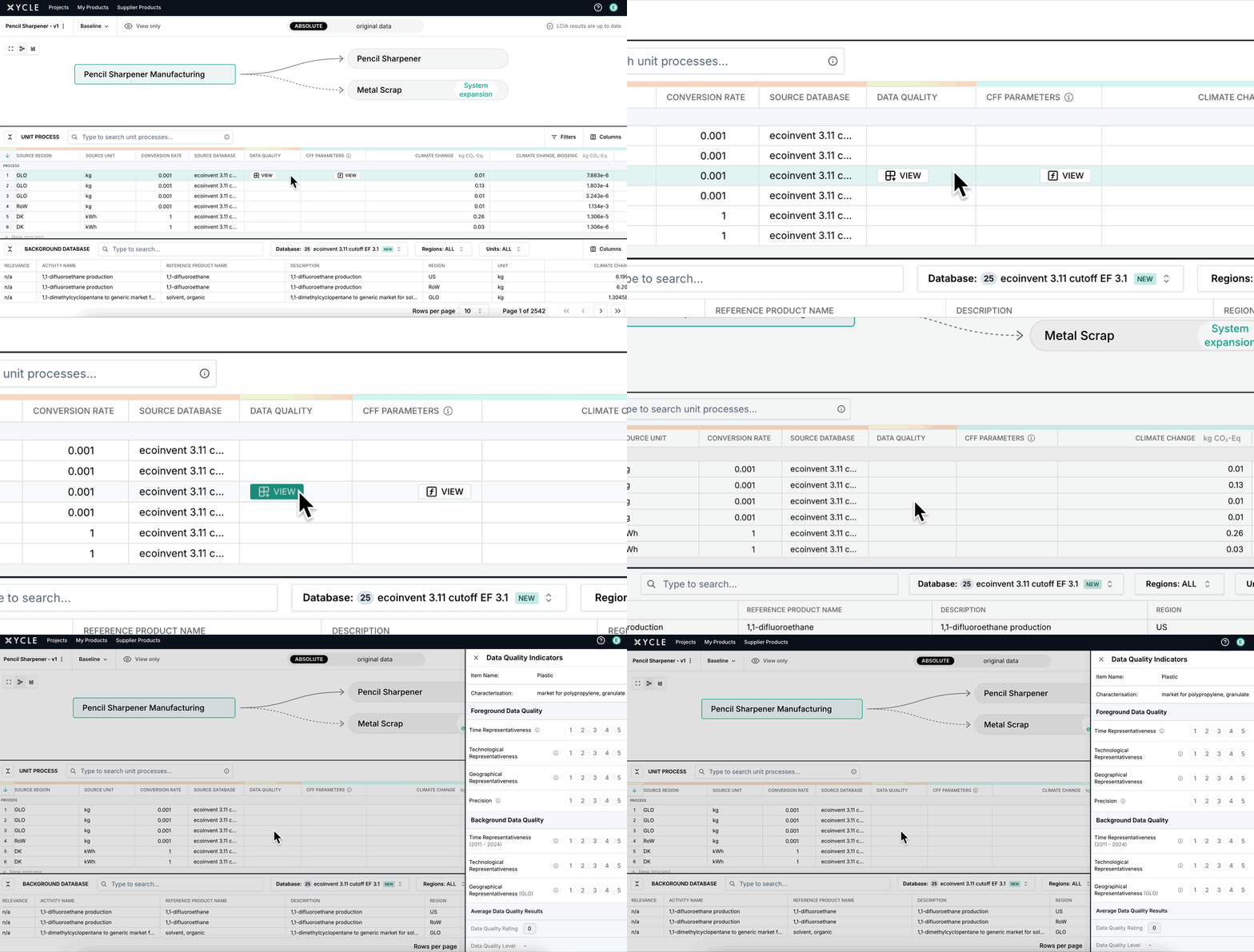
3. Assign Each Data Quality Indicator
You'll now assign ratings across multiple dimensions:
-
Technological Representativeness – Does the data reflect the actual tech/process?
-
Geographical Representativeness – Does the data match the right region?
-
Time Representativeness – Is the data recent or outdated?
-
Completeness – Are the flows and impacts covered comprehensively?
-
Precision/Uncertainty – How reliable is the original data source?
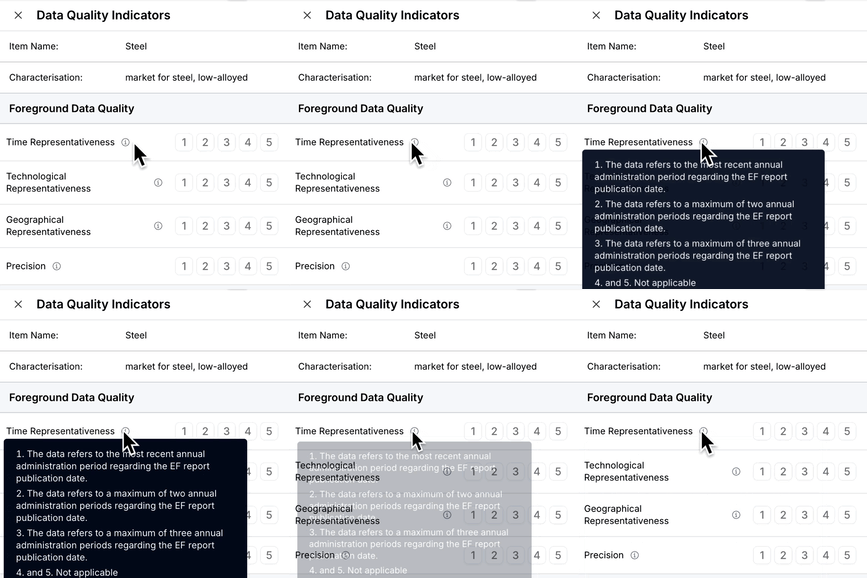
Use the buttons next to each dimension to select a score from 1 (excellent) to 5 (poor), based on your confidence.